
AI-powered YouTube management tool

Imagine AI that Writes like you, Thinks like your brand and Keeps up when You can't.

Reply to every comment that matters without living in your inbox. CommentPilot drafts replies in your voice, triages what's important, and handles thumbnails, captions, and Instagram crossposts in the same workflow.

Built for creators who ship consistently
25
free credits to start
100%
human-reviewed replies
Multilingual
captions & subtitles
YT + Socials
one unified workflow
Comment workflow

Stop drowning in comments

CommentPilot drafts replies in your voice, sorts the queue by intent — praise, questions, criticism, spam — and hands you an approve / edit / skip flow so nothing publishes without you. Built for creators whose channel grew faster than their inbox.
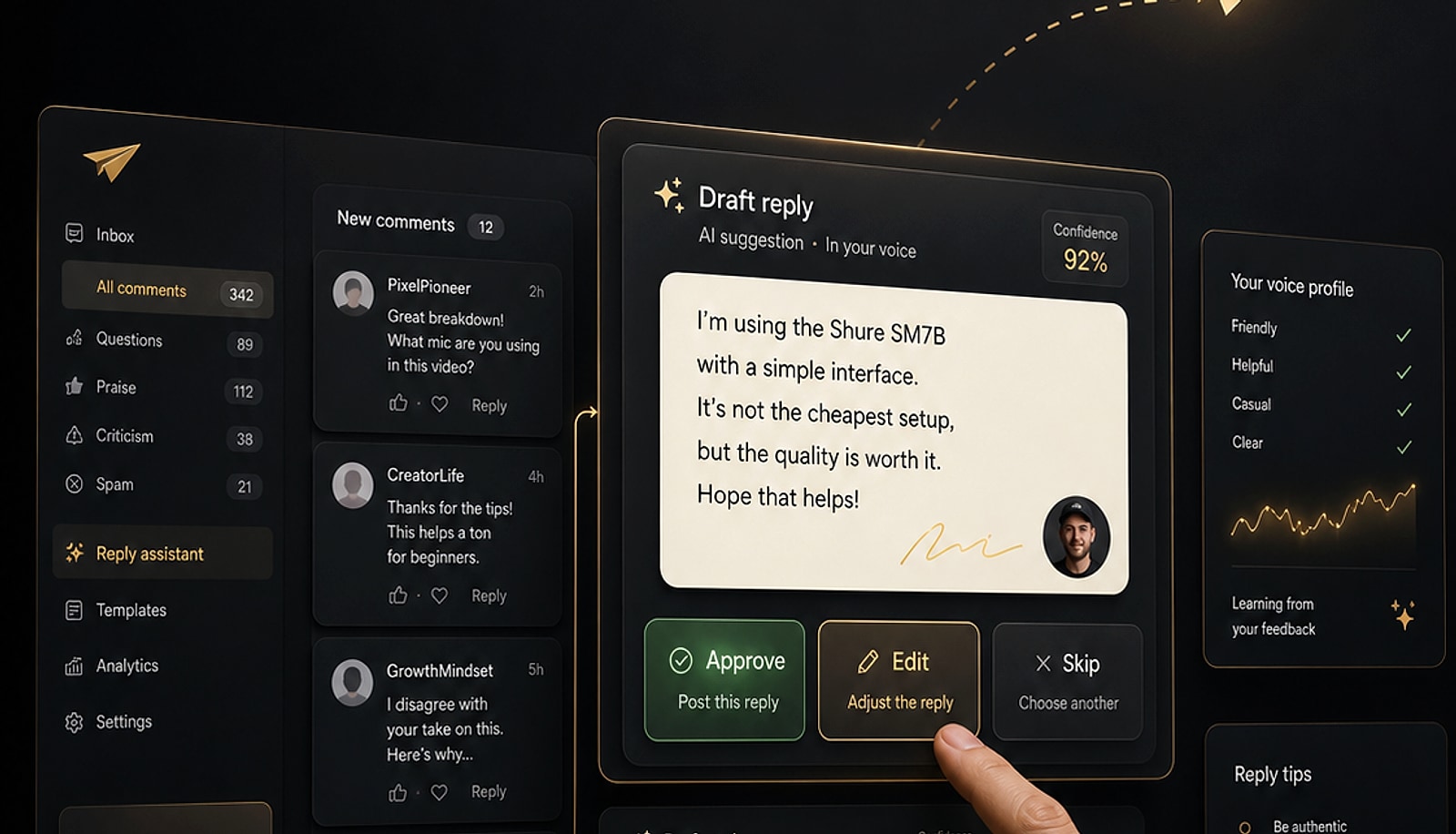
CommentPilot comment inbox with AI-drafted reply and approve/skip controls
Thumbnail studio

Thumbnails that earn the click

Generate professional, click-worthy YouTube thumbnails in seconds — styled around your channel, not a generic template. Iterate fast, pick the winner, publish.

CommentPilot AI thumbnail generator showing generated variants
Captions & translations

Speak every viewer's language

Accurate subtitles in the languages your audience actually speaks, so your content is discoverable and watchable beyond one market. Review and fine-tune before you export.
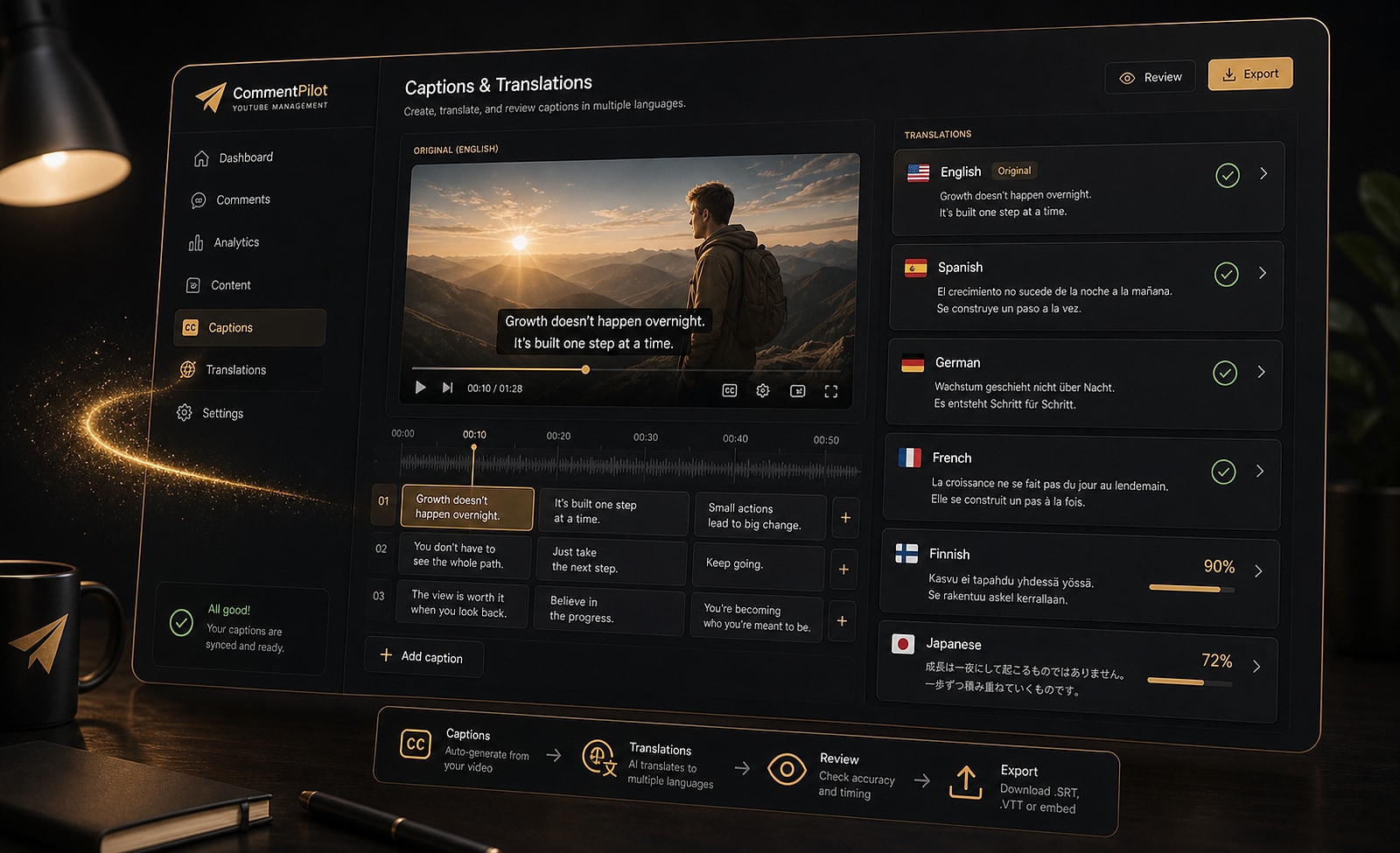
Caption editor with multilingual subtitle track
Social crosspost

One upload, multiple platforms

Smart-crop or fully redesign your YouTube thumbnails into Instagram feed and story posts. AI writes the caption and hashtags; you publish direct or download and post manually.
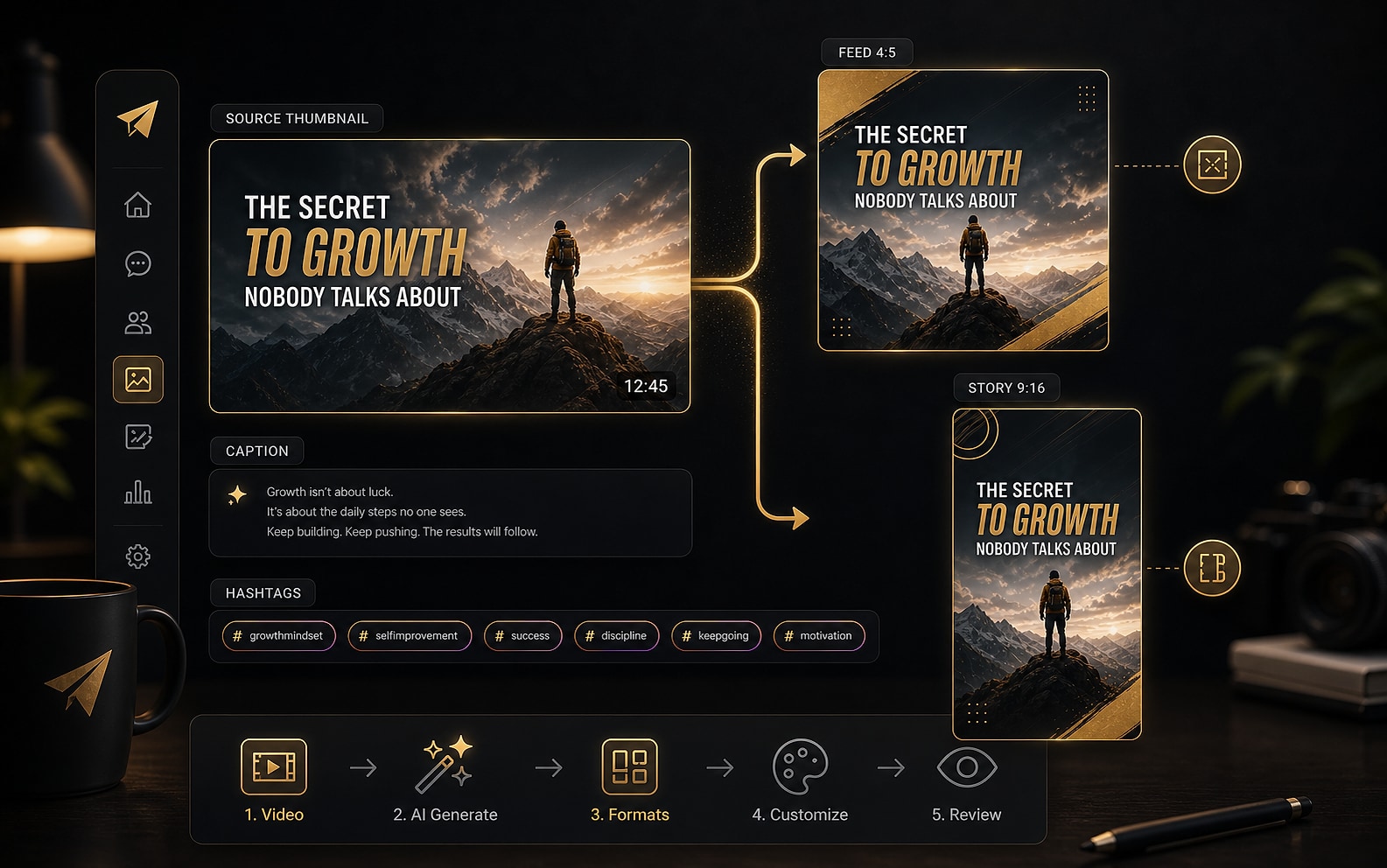
YouTube thumbnail being reformatted into an Instagram post
The honest comparison

Works with YouTube Studio, not against it

You'll still use YouTube Studio. CommentPilot handles the parts Studio doesn't.

The job
YouTube Studio
CommentPilot
Starting a reply
Blank reply box every time
AI draft in your voice — approve, edit, or skip
Prioritising what to answer
Chronological comment list
Intent-sorted queue: praise, questions, criticism, spam
Letting an editor help
One login, no approval layer
Approve-first workflow your editor can safely drive

Use both — CommentPilot handles what Studio doesn't.

Common questions

Frequently asked questions

Will AI replies sound like me?
CommentPilot learns from your edits and approvals over time. Drafts start good and get sharper the more you use it. Nothing publishes without your explicit approval — you can always edit, rewrite, or skip any suggestion.
Can I use it alongside YouTube Studio?
Yes — CommentPilot works next to Studio, not on top of it. Manage replies here; everything syncs back to YouTube. You can keep using Studio for moderation settings, analytics, and anything else you already rely on.
What if I don't get enough comments yet?
The free plan gives you 25 credits to try it at any channel size, with no credit card required. Upgrade when the volume justifies it — there's no minimum subscriber count.
Is it safe to connect my YouTube account?
We only request the OAuth scopes needed to read and publish comments on your behalf. Nothing is published automatically — human approval is always required before any reply goes live. See our data handling overview for full details.
Can I use it for more than one YouTube channel?
Yes. Connect one or more YouTube channels on the same account and switch between them from the channel picker. Each channel keeps its own voice settings and reply queue.
What happens if I run out of credits?
Buy a one-time credit top-up or upgrade to a monthly plan for a fresh allowance every billing cycle. Your workflow is never blocked mid-month.
Get started today

Scale community management without giving up human control.

Run approve-first AI workflows across your YouTube channels from one team workspace.